Friday, August 25, 2017

Positive Feedback and the #PosFeedChallenge

Dear (Failed) Parent,
I hope this e-mail finds you well. I am e-mailing you about that monster of a child of yours. I am quite confident to say that she is the worst student I have ever had, and that going to school seems quite a waste of time for her (and everyone else), as nothing will ever become of her. Your daughter’s other teachers and peers all share this sentiment. I encourage you to take more frequent and longer family vacations during the school year, or even better, to take her out of our school.
Have a wonderful day,
Your Monster’s Teacher
Even though some of us educators may have, at one point in our careers, had the urge to send the kind of message above to parents (and I hope none of us did…), I am sure the reasons this e-mail is inappropriate are quite obvious- It is disrespectful and reactionary, it is too general and does not provide any specificfeedback about the child’s behavior, it does not suggest any prior intervention steps that were taken, and does not offer any realistic and positive suggestions as to how existing issues can be dealt with.
Sharing with parents negative feedback about our students seems to be the more common type of day-to-day communication we have with them. Although the intentions may be positive (such as to inform parents of certain unacceptable behaviors), or we may even be required to send certain e-mails, in order to properly do our job and serve our students in the best possible way we can, we must consider the short- and long-term implications of such communication. Parent e-mails affect:
  • Our relationships with students and their parents
  • The ultimate goals of creating a positive classroom culture and encouraging students to become kind, thoughtful and empathetic students with healthy problem-solving skills.
When it comes to sharing positive feedback with parents, it seems that communication is far less frequent. At the end of the last academic year I asked tweeting educators to share information about the frequency and nature of parent feedback they provide about their students. Some important findings were:
  • Educators believed that sharing positive feedback is more important than sharing negative feedback with parents, and even more than if the nature is informational;
  • The most frequent teacher-parent communication topic was informative (neither positive nor negative);
  • Negative-natured feedback was more frequent than positive one; and,
  • Most educators wished they contacted parents more frequently to share positive feedback (which was the exact opposite with providing negative feedback!)
The above findings are a bit confusing, as we see an inverse correlation between educators’ beliefs and desires and the actual feedback given- if positive feedback takes the highest precedence, how come it is the least common type of feedback we are providing? And on the same token, if informational feedback takes is the lowest importance, why is it the most frequent one we send home?
In order to match our priorities with our actions, it is important that we acknowledge the importance of positive feedback about our students, and we ensure we take time to celebrate our students’ personalities, abilities, and choices.
This year, I decided to take on the challenge of doing just that- increasing positive feedback to my students’ parents. At the beginning of the year I plan on sending at least one email to parents every day, and after that send a positive e-mail to parents at least once per week.
I would like to ensure that the (positive, negative and informational) feedback I provide with them is useful, and so I will make sure to keep the following points in mind:
  • Timing: My eMails will address behaviors/ events in a timely Manner, preferably before the following day.
  • Ownership: I will remind parents that we are all a part of the same team, and the student’s successes (as well as difficulties) are a result of our choices and hard work.
  • Specificity: My messages will pinpoint one or two specific behaviors I would like to celebrate (academic performance? Social development?) and will include specific examples.
  • Next Steps: I will make sure to look forward and include next steps or possible ideas/ solutions to prevent from (or encourage) the event to occur in the future.
I hope this would make a difference not only at school, but also in students’ homes and in their choices and realities in the future.
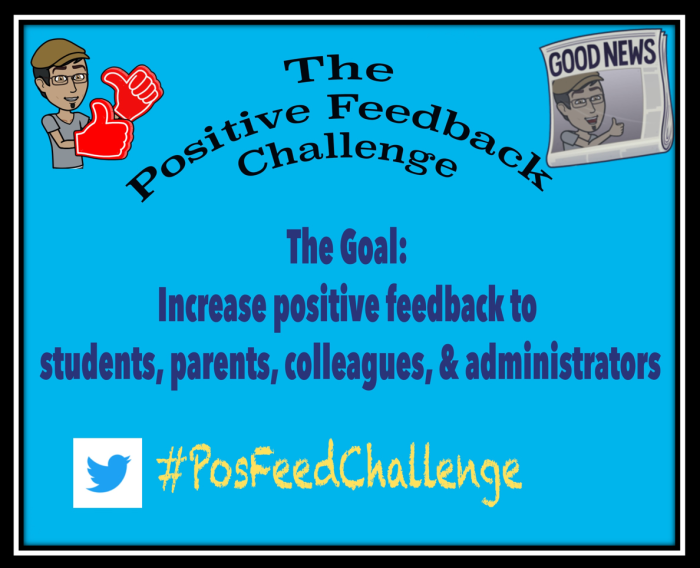
#PosFeedChallenge
I would also like to take this opportunity and encourage you to join this challenge, and provide more positive feedback about your students, colleagues, administrators, and even your friends outside your workplace.
If you would like to contribute or get ideas for positive feedback, please visit this Google Form (to share some of your ideas), or go directly to this Google Sheet (to find ideas for positive feedback to others). Finally, please visit #PosFeedChallenge on Twitter and take part in sharing and celebrating a more positive new school year.
Thank you for making a difference.

Sunday, August 6, 2017

Talking Tech: The New 2016 ISTE Standards for Students: Innovative Designer

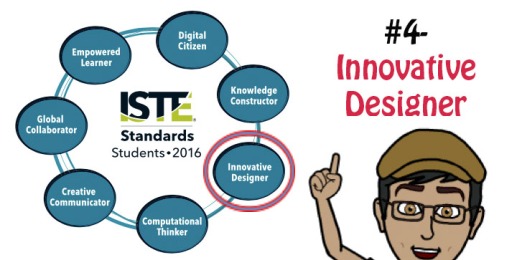
ISTE Standards- 4-Innovative Designer
In this blog post, I discuss and provide tools and ideas for classroom implementation of the fourth 2016 ISTE Standard for Students, “Innovative Designer”. If you would like to read the blog posts for the first three standards, you can find them are:
ISTE Standards- 1- Empowered LearnerISTE Standards- 2- Digital CitizenISTE Standards- 3-Knowledge Constructor.jpg


For more background information about the new standards, read my blog post “Talking Tech: The New 2016 ISTE Standards for Students (1 of 8)”.
ISTE and its contributors have been publishing excellent documents that explain and support educators in the adoption and practice of these standards. Here are a few of them:
  • I recommend following ISTE on Twitter. By checking their feed you can find lots of great articles about the different standards.
  • ISTE Standards– This is a link to all ISTE Standards (for students, teachers, administrators, coaches, and computer science educators)
  • The ISTE Standards Community– Check out this living and breathing online community for discussions, announcements, community blogs, and much more!
  • ISTE Standards for Students- eBook– ($10)- This eBook contains explanations, examples, suggested skills for implementation in different levels, a comparison to the 2007 Standards, a suggested Scope and Sequence, and more!


Standard 4: Innovative Designer

Students use a variety of technologies within a design process to identify and solve problems by creating new, useful or imaginative solutions.

Former US President Barack Obama saw the need to emphasize ingenuity and design in US schools, and in the second term of his presidency he created the first White House Maker Faire (called “Nation of Makers”) in order to encourage educators and students to create and innovate. This is exactly what this standard is about, and the key to its successful implementation is the use of a design thinking process as a tool to designing creative solutions to complex existing problems. It is the process through which a problem is identified, an idea (or ideas) for a product/solution is suggested, planned, tested, and revised (again and again) until it becomes viable to be implemented and used.
(The stereotypical design thinking process includes the above five steps)
Let us examine some of the tools and resources that would allow us to guide our students not only in the process of making and innovating, but in instilling a new mindset and approach to problem solving:

What is Design Thinking?

It is important that educators, at any given school, work together to adopt a common process. Although the idea of the design thinking process is relatively consistent across different models, one must remember that it originates from a more professional organizational setting, not from schools. Here are a few resources that would help educators and students to understand what the design thinking process is, and choose a model that best fits their setting:
  • Videos- What is Design Thinking?
    • In this video, Daylight explains what Design Thinking is and how they followed the five steps to successfully get American children to get more exercise.
    • John Spencer and A.J. Juliani designed a student-friendly process called LAUNCH (more information below). This video explains their innovative process and how it works.
    • TEDx (13:44 minutes)- Five great rules for teaching Design Thinking that would allow educators to reach all students.
    • A great video playlist to explain what Design Thinking is and how it is implemented in different schools. (and here is a TED search for great Design Thinking videos, blog posts, and more)

Design Thinking Toolkits and Tools:

  • IDEO and Riverdale County School’s free Design Thinking Toolkit for Educators is an excellent comprehensive guide for using the process in the classroom. Check out the website, get the toolkit, and get to work!
  • LAUNCH- Check out the website for some information about the student-friendly cycle, and find resources on how it is being used in classrooms. You can purchase the LAUNCH book or visit John Spencer’s or J. Juliani’s excellent blogs that focus on Design Thinking and innovation.
  • Innovation Flowchart (more complex)- The Innovation Flowchart gives a detailed overview of the various stages in an innovation process, listing the activities, requirements and goals of each stage. A very useful planning tool to bring ideas to life.

Ideas for Design Thinking projects and activities:

  • CityXProject– A project that uses 21st century skills, including emotional literacy, empathy, design thinking, creative problem solving, and social literacy using hands-on engagement with 3D printing (optional) and modeling technologies. You can get the toolkit to run your own workshop with your students.
  • KidsThinkDesign– A collaborative effort of professional designers and creative college students, this great website was designed for students, teachers and parents to learn about professions that deal with design (graphic design, fashion design, architecture, and more), and to practice some of the design thinking skills through a variety of projects, collaboration, meeting professionals, and more.
  • The Institute of Design at Stanford has a K-12 Wiki for design thinking projects and challenges, and has lots of resources to teach and practice design thinking.
The underline message of this standard is that students recognize the importance of the process of coming up with an idea and repeatedly refining it, until it becomes high quality. Whatever project your students engage in, they must go through the important stages in the design process, so that the product they create is well-thought-through, and is the best version of what they are capable of making.

Additional tools and resources for student-makers:

  • TinkerCad– A simple browser-based 3D design and modeling tool. Users can come up with any idea and quickly design, print and cut it. There are basic tutorial lessons, and advanced designers can find lessons on how to create artistic objects of increasing complexity by tinkering with existing designs, as well as to work collaboratively to create new designs.
  • Create How-To Guides are a great way for students to show their understanding and to ensure they include the correct and chronological steps when designing a product or explaining procedures. SnapGuide and Instructables are two great places for students to learn how to write instructions in an organized and inviting way, and to join large communities of makers and designers.
  • iBooks Author (iOS; Free)- This Apple-made authoring program allows users to create beautifully designed interactive books, manuals, etc., and publish them to the Apple iBooks Store (or export as PDF)
  • App Making- Tools for students to test, develop, and publish their own apps:
    • MIT’s AppInventor– Initially designed to introduce educators and students to coding, this relatively simple (MS and higher?) is a block-based programming for creating apps for Android OS. You build your app on a laptop/desktop (Apple works too), and test it on your Android phone.
    • Thunkable– A business idea that rose out of AppInventor, Thunkable uses similar but simpler drag-and-drop functionality. It is extremely simple and intuitive, and does not require any coding skills to create mobile apps.
    • Swift Playgrounds– This is a simple iPad app which would allow youngsters to learn the skills to create a real iOS app.
    • CommonSense has a good list of resources (with reviews) for different apps and programs to help students code on any platform.
  • Guest Speakers- There are many great professionals you could invite to your classroom to share and discuss how the design thinking process applies to their work- how they came up with ideas, how viable these ideas were, how they changed and morphed into the final product, etc. If you would like to put a touch of tech to your guest speakers, you can always use Skype in The Classroom to find guest speakers around the world who are willing to share their knowledge and experiences with students.

*** Looking for even more resources?

  • Here is InformED’s great list of 45 design thinking resources for educators.
  • The online site of the book Invent to Learn: Making, Tinkering and Engineering in the Classroom has some great resources– from starting a Maker’s Lab to how to use different materials, related organizations, cool projects and much much more!
  • You can find many great examples for projects and other resources on Pinterest.
  • The hard working folks at CommonSense have come up with a list of design thinking tools- from ideas to projects to apps- they got you covered!


Students as Innovative Designers. I hope this blog entry provides you with useful resources to use in your classroom or at home. As always, if you have any other ideas for good resources, any corrections for what I wrote, etc. please leave a comment below.
Next one up, ISTE 2016 Standard for Students #5, Computational Thinker!

Tuesday, June 6, 2017

Reflections on Ending A School Year and Saying Goodbyes

As another school year is coming to an end, it is evident that once again, being an expat and learning/teaching at an international school can be very emotional, no matter how many times we go through the cycle of re-settling in a new country only to leave it a few years later…
As we reflect on the time we spent at a place, on our students’ personalities and growth, on the tears shed for seemingly no reason, on our children’s adjustment to the new place and their need to say goodbye, it is important for us adults to remember that we need to be kind.
In most cases, we are the ones making the choice to come to a place, or to leave it. Even as well-traveled and emotionally experienced adults, we still have strong emotions, and we still find ourselves feeling like we have not done enough, seen enough, spent enough time with the incredible friends and family we have made during our short time in this place.
And then we have our children and our students, who have usually been having little to no say in our decision to come or go- not the “when”, “where”, or “how”. “That’s it kids, it’s time to say goodbye and start this torturous cycle all over again”…
At the beginning of every school year I remind my students’ parents that the sad truth is that being a global trotter is not for the faint hearted. In order to continuously do it and survive with minimal damage, one has to learn how to make friends quickly and how to say goodbye and detach quickly.
So how can we, as educators, support our students and their parents, and our colleagues and friends? How can we ease the transition into a new life and try to make the most out of our or their last few important moments in a place? Here are some thoughts and ideas we could all practice to support each other, and especially the young generation, who is still learning about what it means to make friends, to be a friend, to be “from somewhere”, to leave others behind, and so on.

  • Talk About It- In many cases, children are not sure what they feel, and don’t even know if they have the permission to feel a certain way. Sharing and explaining the situation to the students is very important. Talking about reasons and feelings, validating their feelings and reminding them that there’s nothing wrong with feeling sad or angry, would allow them to feel OK with those feelings, which would hopefully allow for further processing. Sharing our own feelings and thought processes would help students understand these feelings are natural.
  • Be Kind- Remember that this is a very emotional and sensitive time for our students and families. Students may react strongly to events, to words, to their thoughts and fears. Some would keep to themselves while others will externalize their feelings and translate them into actions, appropriate or not. Try to be patient and understanding, to not be punitive, and to give students time to digest and share their feelings.
  • About “Anchors”- Changes, changes, changes… Continuously moving countries and cultures, learning new languages and forgetting old ones, losing and creating new friends, not seeing older siblings or grandparents, etc. are all natural side effects of this lifestyle. As a parent of a third culture 10 year old, I do my best to make sure he has people, places and objects in his life that ground him; that are a “constant” in this ever-changing lifestyles. Whether it is a weekly family day, a traditional/religious holiday, a weekly Skype call with family, or even buying an apartment in a country I do not wish to be my home, these things are what my son can fall back on, and he knows that whatever happens, these are his and they are a part of his identity and roots.
  • Choice- What would we do without choice? What if we were told we will be leaving everything familiar and move somewhere else for no logical reason? The feeling of a lack of choice is very serious. Without choice we feel helpless; we feel no one cares about what we feel, think or want; we feel we don’t matter. Try to give your students or children some choices- whether it is what to do in the last few days at a place, what to do over the summer break, how to celebrate an end of year party, what to do with free time, etc. Empower them and give them the feeling that they are in control and that they matter.
  • Sharing and Visualizing- Upon leaving Ghana a few years ago, our school counselor suggested that we sit together as a family, take a large piece of paper, and divide it into 4 squares: At the top, 2 squares reading “I am glad to leave behind” and “Things I will miss about this place” (about the place we are leaving), and at the bottom squares (the place we are going next) are “What I am looking forward to” and “What I am not sure about”. She suggested that we sit as a family, and take turns sharing one thing (yes, adults too!) about a square, and take turns until no one has anything else to contribute. There are no wrong answers and no judgement. This is an exercise in reflection and connection. We tried it back then, and it has become a family ritual whenever we move to a new school/country.
  • Honoring the people- The clock is ticking and not much is left before it is time for us (or a dear friend) to leave for good. Consider the time you have left and plan it accordingly. Think about the people you (and your children) met and spent time with and the relationships you created with them- friends, colleagues, guards, maids, etc. Try to schedule time for you and/or your children to spend quality time (one on one or a small group is the best) with them to properly say goodbye. Simply avoiding it is probably not going to feel right later on, and is likely to come back and haunt you down the road.
  • Honoring the place- Although places are not living things, some are more of symbols and they do hold important memories and feelings in our lives. Think of the places you have been to where you live. Were there any places which became important to you and your family? To your children? Make sure you take the kids there one last time- whether alone or as a family. Saying goodbye to a place helps you process that you are leaving.
I hope the above ideas resonate with you. Whatever method you choose to bring the school year or the experience in your country to a close, please make sure you keep the kids’ feelings, thoughts and experiences in mind, and validate them by listening and sharing your own feelings, and you empower them by giving them choice.
Happy end of the 2016-2017 school year!

Thursday, April 20, 2017

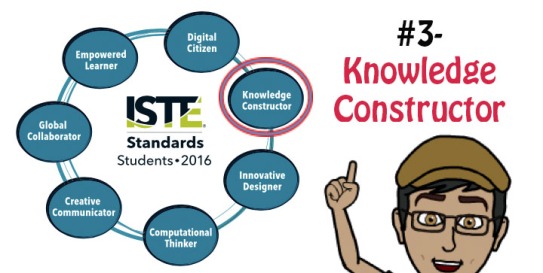
Talking Tech: The New 2016 ISTE Standards for Students: Knowledge Constructor

ISTE Standards- 3-Knowledge Constructor.jpg
In this blog post, I discuss and provide tools and ideas for classroom implementation of the third 2016 ISTE Standard for Students, “Knowledge Constructor”. If you would like to read the blog posts for the first and second standards, here they are:
ISTE Standards- 1- Empowered Learner           ISTE Standards- 2- Digital Citizen
For more background information about the new standards, read my blog post “Talking Tech: The New 2016 ISTE Standards for Students (1 of 8)”.
***Please be aware that I do not pretend to be an expert on the new ISTE Standards. This blog post series was initiated as a “project” for me to learn and understand these standards, so that I can provide better instruction to my students. If you have any comments, questions, corrections or suggestions, please do not hesitate to share them in the comment section.
ISTE and its contributors have been publishing excellent documents that explain and support educators in the adoption and practice of these standards. Here are a few of them:
  • I recommend following ISTE on Twitter. By checking their feed you can find lots of articles about the different standards.
  • ISTE Standards– This is a link to all ISTE Standards (for students, teachers, administrators, coaches, and computer science educators)
  • The ISTE Standards Community– Check out this living and breathing online community for discussions, announcements, community blogs, and much more!
  • ISTE Standards for Students- eBook– ($10)- This eBook contains explanations, examples, suggested skills for implementation in different levels, a comparison to the 2007 Standards, a suggested Scope and Sequence, and more!

Standard 3: Knowledge Constructor

Students critically curate a variety of resources using digital tools to construct knowledge, produce creative artifacts and make meaningful learning experiences for themselves and others.

This standard focuses on students’ ability to locate and use digital tools skillfully and critically in order to create artifacts that showcase their understanding and learning journey. The sub-standards focus on research and evaluation skills, the use of collection and curation tools, and exploration of authentic issues.
Now let’s dive into the standard and explore some tools and ideas teachers could use in their classrooms:

 Standard 3a.

Students plan and employ effective research strategies to locate information and other resources for their intellectual or creative pursuits.
skillsyouneed  TeachThought  ReadWriteThinkYouTube  bingCommonSense  mindshift  google-search  lifehacker SweetSearch
According to Merriam-Webster Online Dictionary, “research” is defined as:
  1. careful or diligent search;
  2. studious inquiry or examination; especially: investigation or experimentation aimed at the discovery and interpretation of facts, revision of accepted theories or laws in the light of new facts, or practical application of such new or revised theories or laws; and,
  3. the collecting of information about a particular subject.
The reason I began with the definition is because in many instances students have a wrong idea of what research is. Sometimes they think that merely “looking for information” would satisfy the requirements, when in reality, research is much more than that. In order to look for information one has to open a book or find a website (no matter how mediocre) and read. “To research” means that we embark on a journey of inquiry; we investigate; we interpret facts and theories; we confirm and refute theories; and eventually we construct our truth. This ISTE Sub-Standard focuses on students’ ability to understand how to research effectively and efficiently, and use these skills both in their personal and school lives.

Asking Questions

In order to become a good researcher, one has to know which questions to ask. Here are some resources that would support students as they learn what questions to ask and how to frame them:
  • SkillsYouNeed– An overview of different types of questions and responses.
  • TeachThought- Two excellent articles about questioning. The first, A Guide to Questioning in the Classroom, offers information and strategies about the importance and purpose of questioning, and essential questions. The second article, Seven Strategies to Help Students Ask Great Questions, is an in-depth examination of tested tools and strategies: Socratic Discussions, Paideia Seminar, Question Game, Bloom’s Taxonomy, Question Formulation Technique, and Universal Question Stems.
  • ReadWriteThink: A strategy guide on Socratic seminars. Check out the lesson plans and the Professional Library for additional resources.
Searching
Once students know how to ask questions that would elicit the kind of response they planned to have, they should be ready to understand how to utilize their knowledge online. Here are some resources to help students understand how search engines work, learn how to filter results, and how to choose a search engine for their needs.
  • Learning how to Search:
    • Bing’s videos about basic terms and functionalities:
    • The Key to Keywords (a lesson from CommonSense)
    • MindShift– An article about building good search skills and the hallmarks of a good online search education
    • Google – Teach your students how to search better using Google-made lesson plans- from beginner to advanced. Make sure to check out the webinar archives for more content.
    • Google Search Education– Google-Made lesson plans on a variety of topics: Picking the right search terms, Understanding search results, Narrowing a search to get the best results, Searching for evidence for research tasks, and Evaluating credibility of sources. Check out the Live Trainings as well!
  • Choosing an appropriate search engine:
    • LifeHacker– Knowing who to ask and when… 10 different search engines that give 10 different types of results
    • FindingDulcinea: Search engine with tested results (and why it’s better):
    • Don’t forget to ask your school librarians about your school’s subscriptions to databases (WebPath, EbscoHost, etc.) for tested and age-appropriate materials.

Standard 3b.

Students evaluate the accuracy, perspective, credibility and relevance of information, media, data or other resources. 
facebookgoogle-searchslateSnopes CommonSense  Harvard Library UWisconsin  Schrock Juniata
Research does not end with locating information. It is important for students to be able to predict which source would provide them with more reliable information, why different websites hold certain perspectives, what information makes sense, and how to make sure the information they receive is accurate. In short, students need to learn how to properly evaluate their sources.
Evaluating information sources is becoming more difficult, with Fake News becoming a hot topic recently. These made-up stories created to mislead readers in issues relating to many important topics, brought Facebook to shutting down 30,000 fake news websites in France ahead of the presidential elections. Many websites, like Google or Slate are now offering their version of fact-checking services. Snopes is another site dedicated to exposing urban myths and legends.
Here are some resources for teachers to use with their students in order to improve their ability to evaluate sources:
  • CommonSense’s News and Media Literacy toolkit is a great teacher resource. Divided into 4 different grade levels (K-2, 3-5, 6-8, and 9-12), these toolkits has lesson plans, interactive videos, student take-home activities, parent involvement materials, and more.
  • Harvard– An excellent resource for background information, links, and tools. There’s a great infographic you could use as well.
  • University of Wisconsin– 6 simple ways to tell if a website if credible
  • Kathy Schrock’s website has plenty of resources for critical evaluation skills- for different aged students to evaluating iPad apps, field trips, digital stories, online videos, and more!
  • Juniata.edu– you can use the CRAAP tool to evaluate sources
  • Real or not? Use TeachByte’s 10 hoax websites to teach students how to evaluate resources. This is a great tool you can use with your students to better evaluate websites. Have them research the incredible Dog Island, decide if they should visit The Republic of Molossia, or help save the Pacific Northwest Tree Octopus. If nothing else, your students will feel pretty silly for believing what they read…

Standard 3c.

Students curate information from digital resources using a variety of tools and methods to create collections of artifacts that demonstrate meaningful connections or conclusions. 
zeef  Only2Clicks  Symbaloo Diigo goodreads libib  twitter   BagTheWeb  seesawmaharawikispaces  PBWiki PaperLigoogle-sitesSoundTrapiTunesU
This sub-standard focuses on students’ resourcefulness and creativity. Students choose digital tools to display a collection of works, or that would make it easier for them to access information. Either way, these collections are supposed to be means to an end, because the purpose of this curation is to show the connections they made and the understanding they arrived at.
It is important to note the difference between curation and collections. Collections are a group of things that may or may not share something in common. Curation is more than that- it requires conscious thought and effort because curated artifacts are collected, and organized to tell a story or highlight something. So let’s look at tools that support students in the collection of artifacts to display (as a resource), and tools that allow students to dig deeper and tell a story:

Collection Tools:

  • Resource: Zeef– Robin Good’s collection of lists of absolutely everything you can think of- from marketing to newsletters to fashion to recommended curators around the web!
  • Only2Clicks and Symbaloo– Two of my favorite teacher tools I have been using to curate resources for my students (and colleagues). Only2Clicks allows users to create tabs with different resources in each. There is a preview window, title and it is possible to add notes to describe each resource. Symbaloo works in similar way, but all resources are organized on one page, and you can customize the icons and “brick” colors to differentiate topics and themes.
  • Diigo– Diigo is a great website for students to collect resources, annotate them, organize and share them with others. They can bookmark sites, organize them according to tags, and build a personal library. There are convenient tools to quickly add resources onto the library (such as Chrome extensions)
  • GoodReads– Like other book curation sites (such as BooknShelf), GoodReads allows users to create an account and build a bookshelf. They can then share their books and browse other users’ bookshelves. I chose to to feature this one because of its immense collection of books (it recently bought Shelfari and is owned by Amazon.com…)
  • Libib– (free with a paid option) This site (and app!) allows users to create and share multiple collections of books, movies, and video games, and lets you annotate/tag
  • Twitter Lists: Students can create their own lists of Twitter chat accounts. This is a way to group and filter results for easier browsing.
  • Tweetdeck: Another Twitter tool, this is a dashboard of sorts- Students can build and organize collections, keep track of users, lists, and activities, create custom searches, and even manage multiple accounts.

Curation Tools:

  • Resource: CoolToolsForSchool blog has a fantastic entry on curation- what it is, what it looks like, what tools are available, and much much more!
  • BagTheWeb– A healthy list of curation tools and an overview into what each is and what you could do with it.
  • ePortfolios: ePortfolios tell (or should…) our story in a digital form. We share important artifacts that can be seen as milestones in our journey, and reflect on their importance. The following are four different ePortfolio options I shared in a previous blog entry about ISTE Standard 1: Empowered Learner):
    • Seesaw– This is a simple ePortfolio option for young learners. It allows students to easily show their work using photos, videos, drawings, text, PDFs, and links. They can then reflect on their work using text, audio or drawing. The teacher interface allows teachers (and parents) to access and monitor student work.
    • Google Slides– This is another child-friendly ePortfolio option. Google Slides allows your students to embed a variety of file formats from their Drive folder- documents, images, drawings, animations and videos, and add text to them to show their learning. In my classroom, I make sure students create a Table of Contents slide whenever they use Google Slides and hyperlink the text or images to other slides in the presentation.
    • Google Sites– I have been using the old Google Sites as my own website and ePortfolio for several years now. Although it was not the most intuitive tool, it did provide great options and I was able to embed documents, images, presentations, etc. from my Drive. However, soon, the old version will become obsolete, and the new Google Sites will be the only option. Albeit simpler interface, it does little of what that old Sites can do. This being said, integration with Drive is fantastic, and it is really easy to embed student work and insert text to explain it. Two problems with it though- you cannot (yet?!) create templates for students to use, and images randomly turn sideways… (to get around it we paste them on a Google Doc or Slide and embed it on the portfolio page).
    • Mahara– Mahara is an open source software used by many secondary schools and universities around the world to document and store student work. Although by no means simple to navigate through, it does offer many higher-level options for users, since it is not “just” an ePortfolio platform. You can create network of friends, use open-source coding, and more. It is also highly customizable at the institution level, so it can do pretty much anything you’d like. Lastly, it has excellent integration with Moodle, and many plugins continue to be developed to make it even simpler to use together.
  • Wikis– What if all students in our schools participated in the creation of a school website that has information about anything related to the school (potential for a countless number of topics, I know…)? WikiSpaces and PBWiki are two websites that allow you to do just that, and more…
  • Paper.li– Curating links from articles, Twitter, Facebook, and other social media platforms into an easy to read newspaper-style format. Students can use this free service to collect information about a research topic, or to display their work in an interesting style.
  • SoundtrapSoundTrap (for Education) is a collaborative tool that allows users to create music and podcasts online. Within the platform, students can collaborate via embedded video-conferencing with classrooms around the world. Teachers can guide global learning teams by creating group assignments that encourage expression, creativity, communication, and cooperation. Digital artifacts can be stored and shared with global audiences following completion.
  • iTunes U– This link will take you to Apple’s podcast for educators (free). This 25-lesson podcast will guide you through the whats and hows and what-ifs, so you can start your own institution’s iTunes U account. iTunes U is basically a gigantic digital library of educational institutions’ self-published materials. Freshly brewed is Apple’s iPad integration app, which is a mini-LMS that allows you to assign iTunes U content and check work, assign grades, have group and private discussions with students, etc.

Standard 3d.

Students build knowledge by actively exploring real-world issues and problems, developing ideas and theories and pursuing answers and solutions.
DesignLearningBIE  Newsela  sciencenewsforstudents CNN10 ClassroomInc pinterestgoogle-search  zeef  YouVisit
How many times have you heard a students asking, rightfully so, questions like “Why are we learning this?” or “What’s the point of learning that?” Well, in order to prepare students for the “real” world and for life after school, we should make sure we explain the real life application to everything we ask them to know. This would increase motivation and understanding, and would create the kind of students who are ready to think critically, come up with ideas and theories, and ultimately solve problems.
This standard focuses exactly on these skills. Here are some ideas we could use in our classrooms to develop these kinds of thinkers and problem-solvers:
  • Project-Based Learning (PBL)- PBLs are “a teaching method in which students gain knowledge and skills by working for an extended period of time to investigate and respond to an authentic, engaging and complex question, problem, or challenge” (BIE.org)
    • BIE.org– The Buck Institute for Education website is a fantastic resource to learn about what PBLs are, how and why they are/should be used, and basically everything else a teacher would need to learn about, and implement it in any classroom. Make sure to check out the Resource section to read, watch and interact about all-things-PBL!
    • DesignLearning– This website is dedicated to engaging students and educators in creative problem-solving teaching and learning best practices. Students follow the Design Learning Process.
  • Current Events- Exploring real world issues through the media is one of the simplest and most straightforward ways to engage students in exploring the world around them, even if many issues might be too complicated to solve. Here are some news websites you could use with your students:
    • Newsela– A real gem, Newsela features a growing collection of news articles in a variety of topics. Each article is adapted to 3-4 different levels with corresponding writing assignments and quizzes so teachers can truly differentiate their Language Arts curriculum. The Pro version allows teachers to keep track of their students’ quiz scores, to push articles to their students, and more.
    • ScienceNewsForStudents– This excellent website features stories about recent research and current events (related to STEM). Stories are grouped according to topics and sub-topics, and there are many important educator features such as a readability level for each article, power words, further readings, and more. A Chemistry colleague of mine swears by this website. Highly recommended!
    • CNN10– (Formerly “CNN Student News”) World news, simply explained, in 10 minutes. This is a great way to get students (from ES up to HS) aware of what is happening around the world, and begin discussions into the state of our world. Past editions are easily accessible.
  • Educational Simulations- Professionals in a variety of fields have been using simulations (“imitations”) to train people for decades. Simulations in the education field is a relatively new phenomenon that grew with the development of the digital world. Some simulations, especially those experiences which would be difficult to impossible to do in real life, require different technologies, while others can be classroom activities that simulate certain experiences.
    • Carleton College’s Science Education Resource Center maintains an excellent website dedicated to simulations and their use in (higher) education,
    • Here are some websites with simulation resources:
      • WeAreTeachers– 10 interactive science simulations
      • TechTrekers– A variety of Math-related simulation ideas for the classroom
      • ClassroomInc– Several online simulations for different workplace settings (a publishing company, a bank, a clinic, and more)
      • Pinterest– Social Studies simulations. Pinterest is another place to find plenty of simulations.
  • Virtual Reality- There is a variety of virtual reality categories, including ones that require equipment (“wearables”). Currently, the cheapest was to create a VR is Google’s Cardboard.
    • General resources:
      • Zeef– This is a collection of a variety of VR-related information and activities
      • TES– Google’s partnership with TES to address the UK curriculum resulted in a great collection of VR lessons!
      • Gear- MicrosoftGoogle, and a comparison of the best VR headsets for 2017.
    • Virtual Tours:
      • Google Expeditions– Google’s
      • YouVisit– A variety of VR tours to museums, cities, sites, sporting events, and much more! You can even create your own virtual tour.
      • OpenUniversities– 100 virtual trips you don’t want to miss- cities, landmarks, museums, college campuses, how things are made, and more.

Students as Knowledge Constructors. I hope this blog entry provides you with some high quality resources to use in your classroom or at home. As always, if you have any other ideas for good resources, any corrections for what I wrote, etc. please leave a comment below.
Next one up, ISTE 2016 Standard for Students #4, Innovative Designer!